 heycolli
Remember every person
in your group.
heycolli keeps prayer requests sorted by person and nudges you at the right moment. You get to focus on people, not notes.

 How it helps
Here's what heycolli does in each one.
Six moments from a small group leader's week.
Wrapping up group,
going around the circle for prayer requests
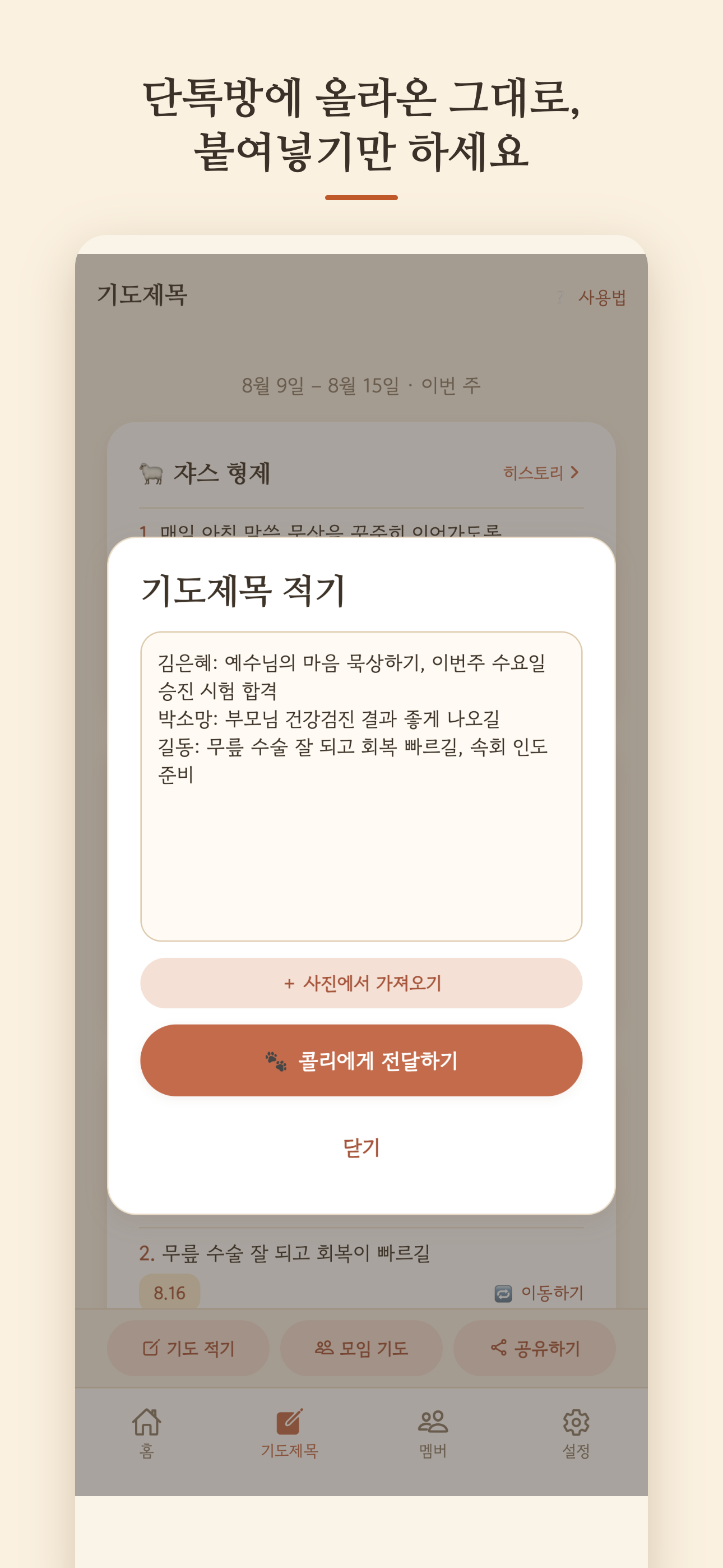
Type it as you hear it.
Tap Save. Done.
No scribbling in a notebook to type up later. Put it all in one box, hit save, and heycolli sorts it by person and catches the dates.

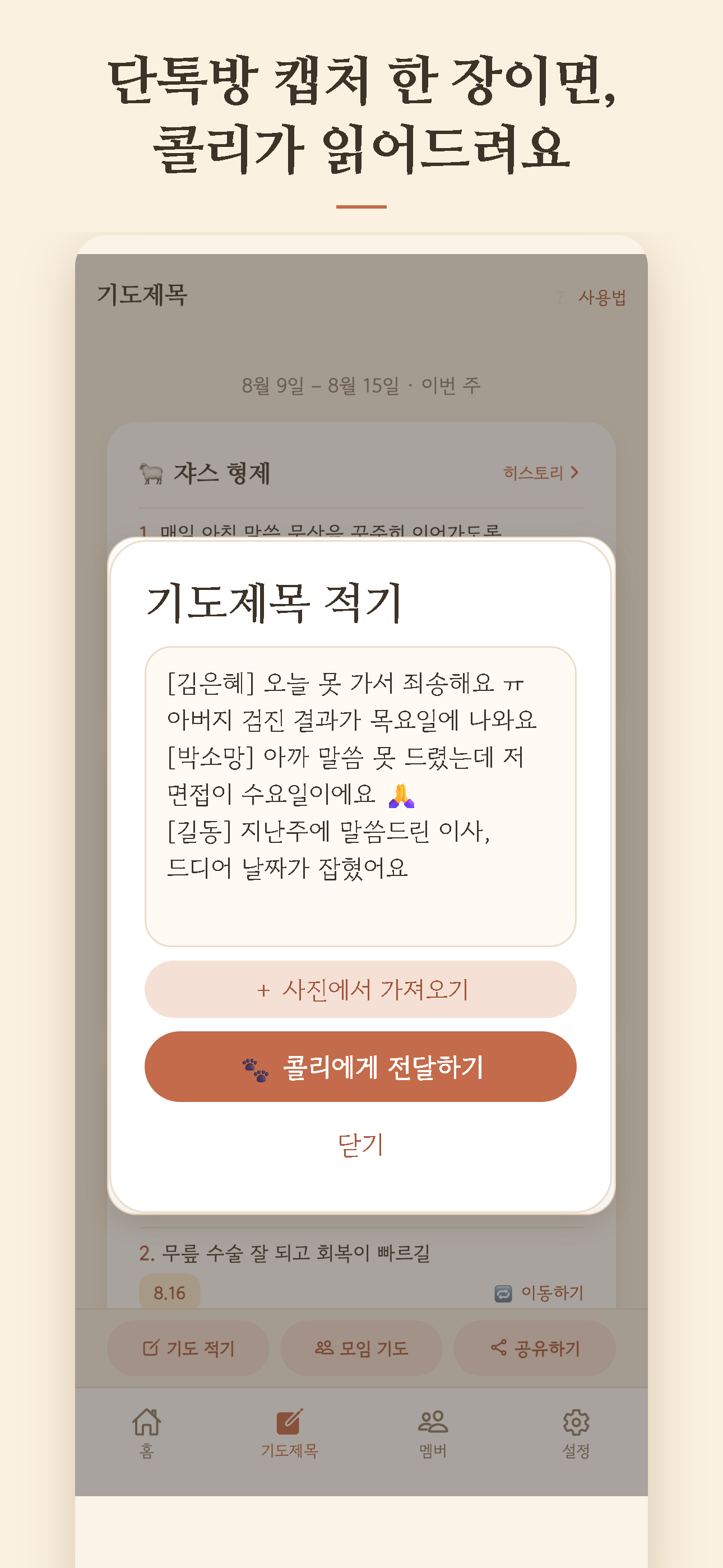
11 p.m., and prayer requests
are still rolling in by text
Screenshot the thread
and upload it
The ones who missed group, the ones who thought of something later. Their requests show up late. Take a screenshot, upload it, and heycolli reads it and sorts it by person. You just clean up the names.
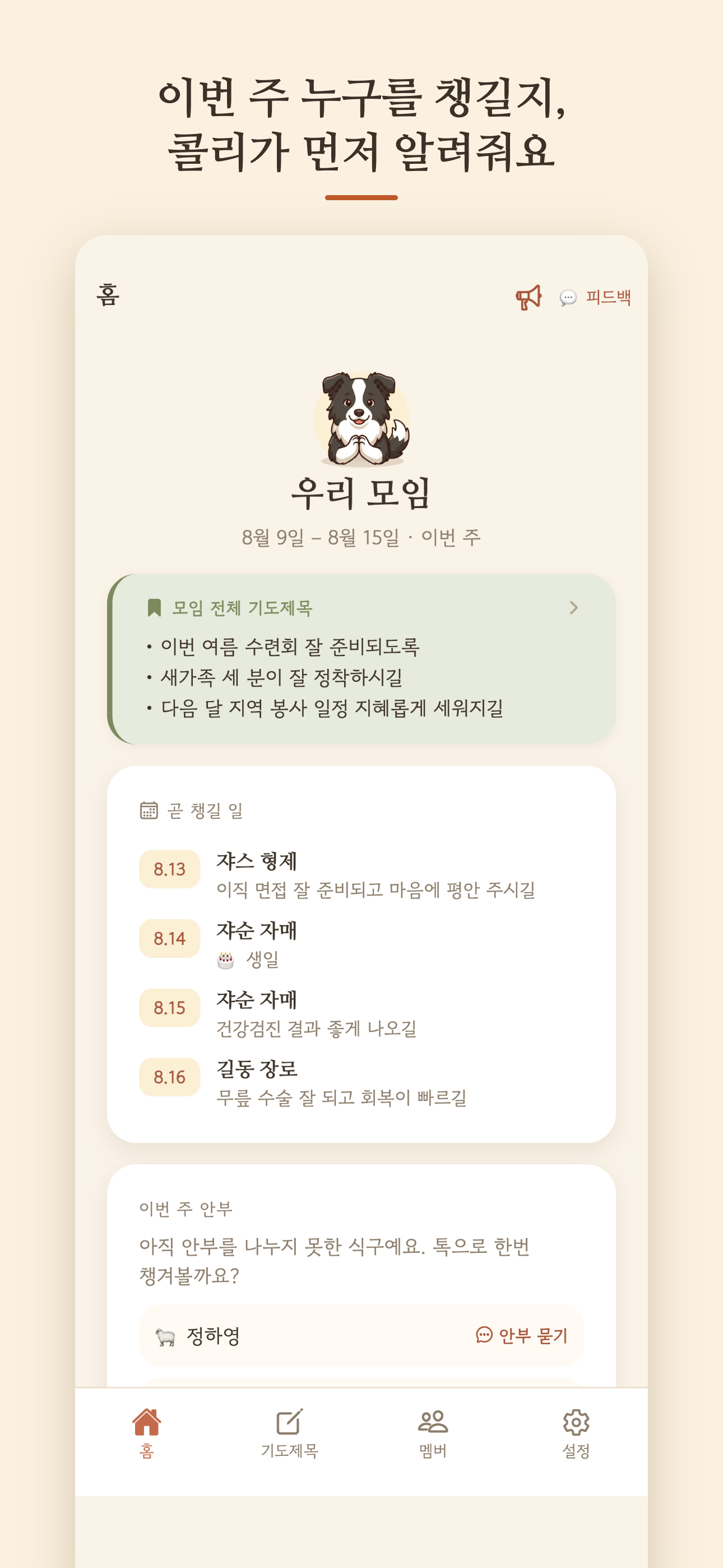
"Wait… when did I last see Sarah?"
Realizing too late that someone's gone quiet
Shows you who you
haven't checked on yet
Open the app and the people who've gone quiet this week are right at the top. Tap Check in and heycolli drafts the text for you.

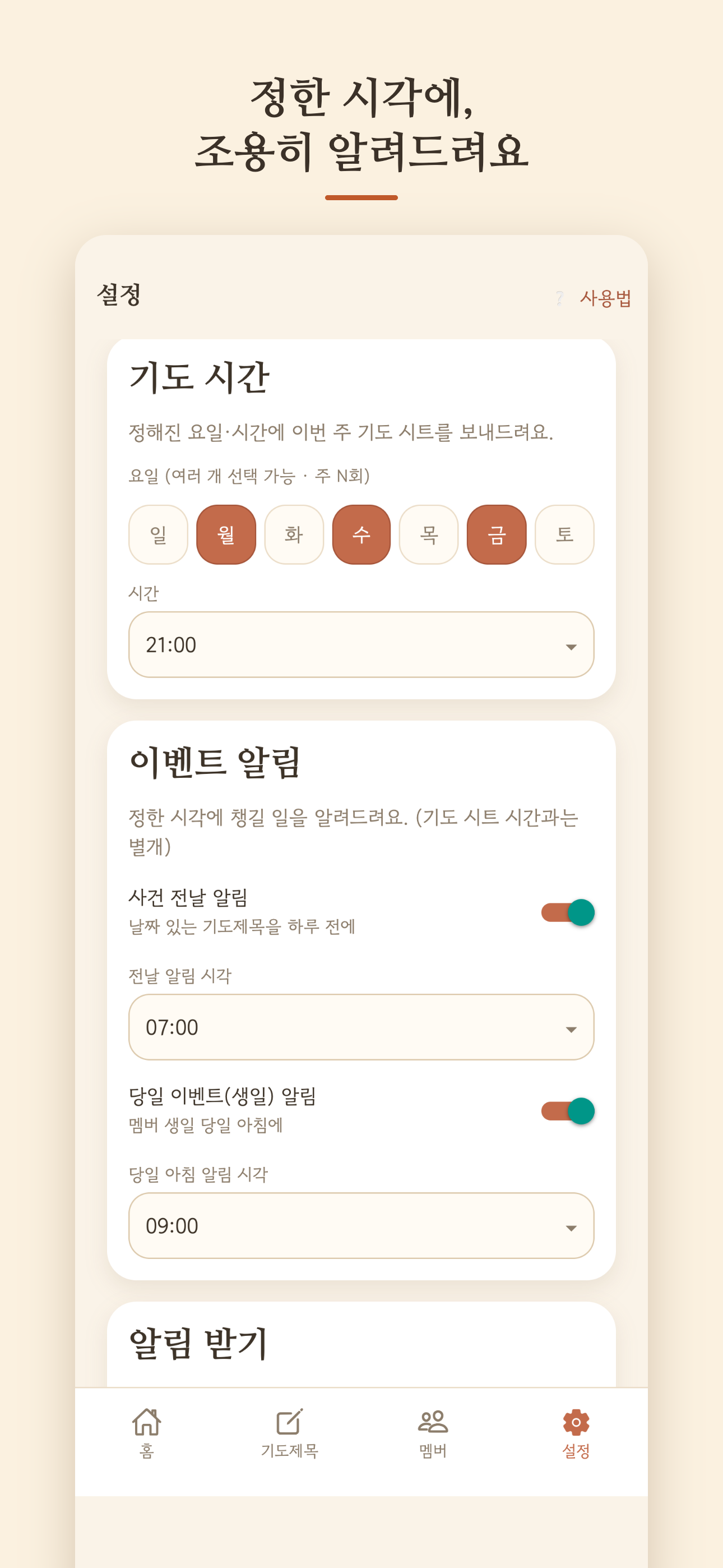
"Was Mike's interview tomorrow, or Thursday?"
The days that matter most are the easiest to lose
Reminds you
the day before
An exam, a doctor's appointment, a birthday. Write it down once, and you'll get a notification the evening before.
Meeting someone for coffee, and scrolling
way back through the thread for what they said
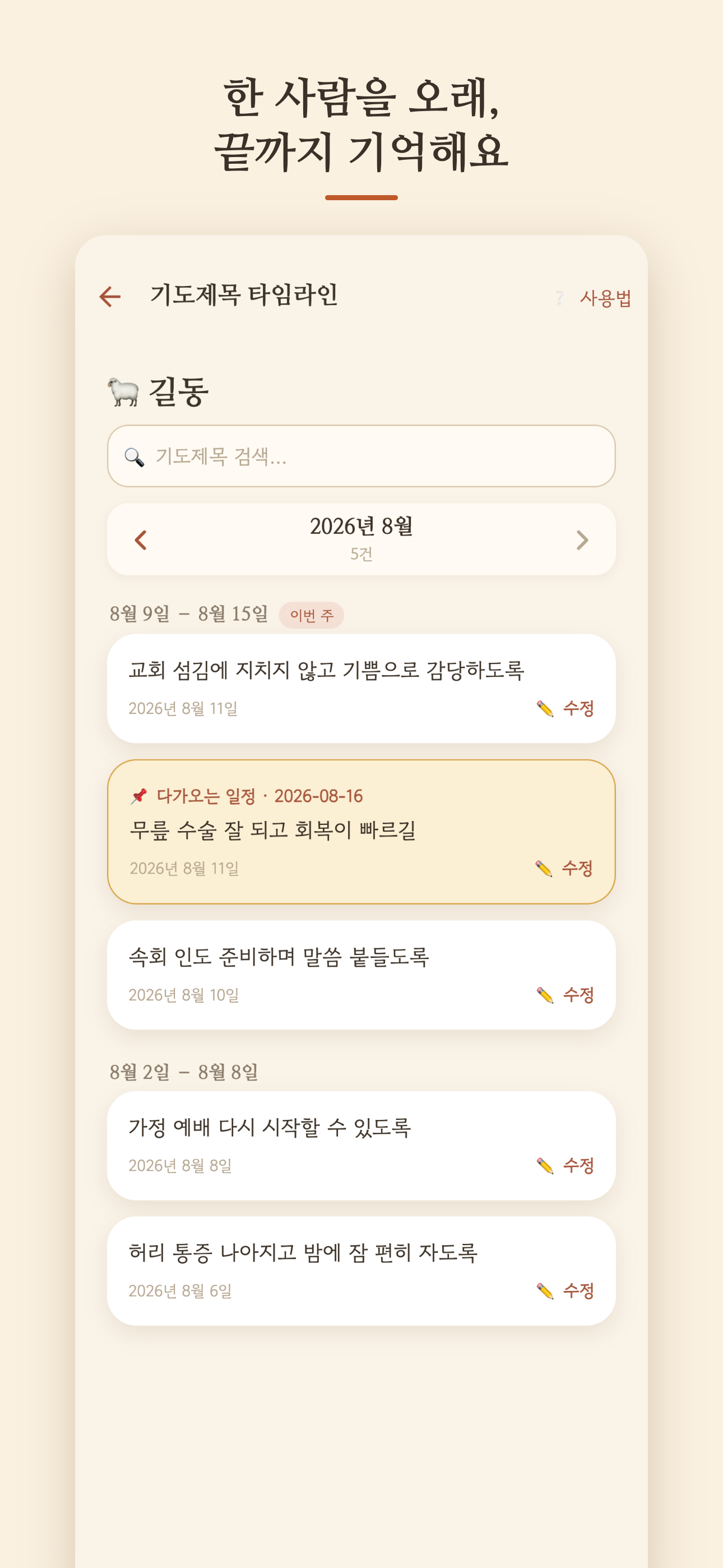
Keeps each person's story
in one place
Tap a name and everything they've shared is right there. Skim it on the way in, and "So, how did that go?" comes naturally.

Sending the week's prayer list
back to the group
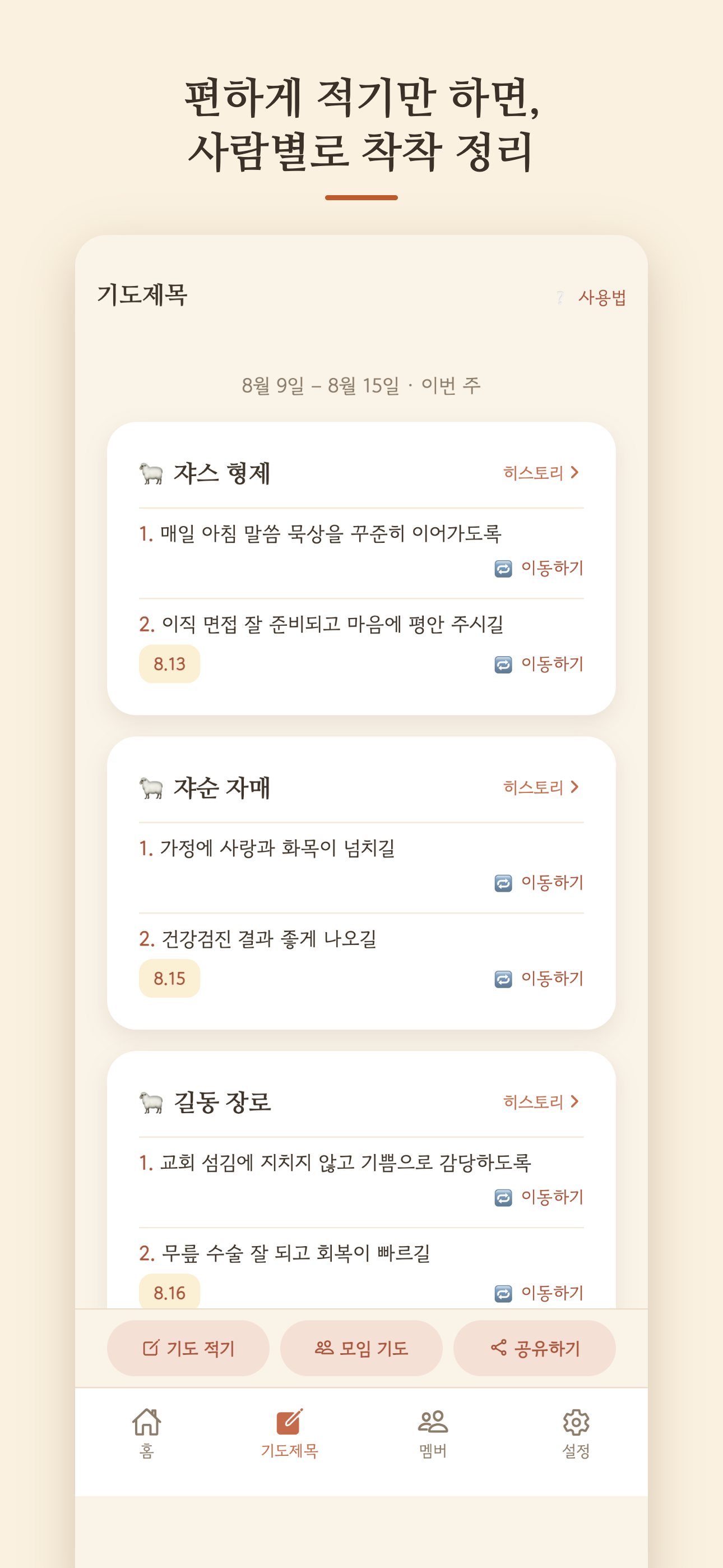
Copies the whole week
in one tap
Paste it into the group text. That's it.
Install the app
Search "heycolli" in the App Store or Google Play
Add your people
First names are enough
Write down requests
Right there during group
Turn on reminders
Pick a day and a time
For leaders
and pray
You lead because you were called, and because you care about people. Nobody pays you for it, and it sits on top of everything else in your week. Still, you remember every person in your group and pray for them by name. heycolli was built for that. Give it a try.
 Pass it on
Send them this page.
FAQIs my group's information private? +
Yes. Everything about your members stays on your phone. It never reaches our servers, so even we can't see it. When AI helps with sorting, it works in the moment and doesn't store or learn from anything.
Do my group members need the app? +
No. heycolli is just for you, the leader. Your group never has to install anything or see anything.
Do I have to sign in? +
You can open the app without signing in, but it's hard to get much out of it that way. heycolli's sorting and the photo import run on our servers, so those need an account. Anything you wrote before signing in stays right where it was.
Apple, Google, or email. Which one? +
Any of them, but pick one and stick with it. Switching methods stores your data under a separate account.
I'm not getting reminders. +
Check three things: that you allowed notifications in Settings, that you saved a day and time, and that reminders aren't switched off. The weekly reminder won't go out until a day and time are saved.
heycolli sorted something wrong. +
Tap the request card to edit the text or date, or delete it. If it landed on the wrong person, use Move. Requests heycolli couldn't match to anyone go under Shared / Unassigned, so move them from there.
When does "this week" start? +
Sunday at midnight, through the following Sunday. On Sunday, the check-in list and the ✓ ✕ marks next to each member start fresh.
What if two people have the same name? +
Tell them apart with the role or a note you add when you save the member, like "Sarah K.", "Sarah M.", or "Pastor Sarah". When a request mentions that name, heycolli asks which one you mean and shows those labels.
What happens when groups reshuffle for a new season? +
Use Start a new season in Settings to set up the new roster. This week's screens and sharing switch to the new group, and past requests stay in each person's history.
If I delete a member, do their requests go too? +
Yes, and it can't be undone. To keep the record, mark them inactive instead. They drop off the list, but everything stays.
How do I enter a birthday? +
Four digits: July 15 is 0715. For a February 29 birthday, heycolli reminds you on that day in non-leap years too.
What reminders do I get? +
A weekly prayer reminder on the day and time you pick, a heads-up the day before anything with a date, and birthday reminders.
What if I get a new phone? +
Export a backup from Settings and import it on the new phone. Imports merge with what's already there, so nothing gets lost.
We don't call it a "small group." +
Rename it. Life group, community group, cell, whatever your church says. Every label in the app follows.
heycolli remembers with you, and reminds you before you forget. 🐑